Scientific Calculator Elite™
A complete scientific calculator — with fractions, conversions, and no ads.
 Everyday
Scientific Calculator Elite™ is one of the most complete scientific calculators available for iOS — it looks and operates like the real thing.
Fractions, unit conversion, calculations with dimensional units, and no ads: whether you're a student or a working professional, it has everything you need.
Available for iPhone and iPad.
Features
Calculator functions
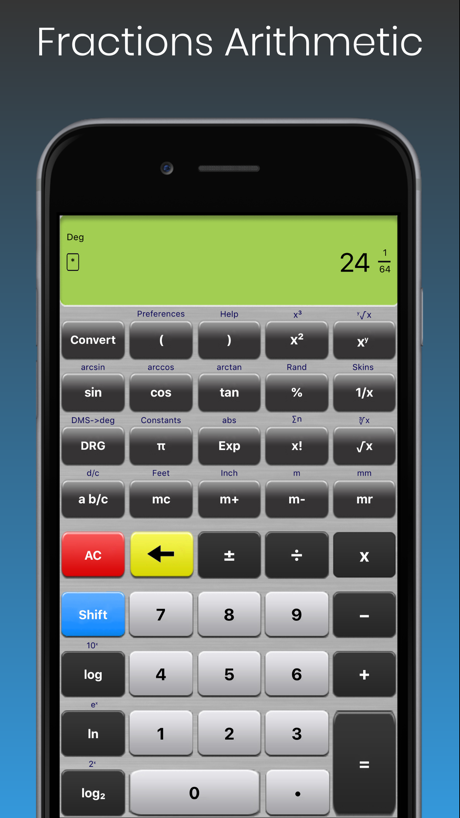
- Fractions and decimal-fraction conversion
- Degrees/minutes/seconds (DMS) and feet-inch-fraction combinations
- Trig in degrees, radians, or grads; hyperbolic sin, cos, tan
- Logarithms, natural logs, and log base 2; exponentials
- Squares, cubes, nth roots, and x to the power of n
- Factorials and summations
- Built-in constants, percentages, absolute values, random numbers
- Memory storage and parentheses
- Order-of-operations or chaining entry modes
- Large, easy-to-use buttons with selectable haptic feedback
- Full built-in help — and absolutely no ads
Unit conversion
- Distance, area, and volume
- Flow, velocity, pressure, and force
- Temperature, mass, and time
- Energy and power
- Data size and data rate
Frequently asked questions
How do I access help within the app?
Press the [Shift] button, then press the [)] button.
Sin/cos/tan don't seem to give the right results — why?
Check your angle mode. The current mode shows as "Deg", "Rad", or "Grad" in the main display; change it with the [DRG] button.
What's the difference between 'chaining' and 'order of operations'?
Chaining ignores operator priority (2+3×4 = 20). Order of operations applies priority (2+3×4 = 14). Choose either in preferences.
What does the fractional resolution setting do?
It rounds to the nearest fraction when converting irrational numbers (like π) to a fraction. With rounding off, irrational numbers can't be converted, but rational values such as 0.125 still convert to 1/8.
Can I set the resolution for fractional-inch calculations?
Yes — in preferences ([Shift][(]), fractional resolution can be set from 1/2" to 1/64".
How do I contact technical support?
CyberProdigy provides free technical support — email techsupport@cyberprodigy.com.
Get Scientific Calculator Elite™ today
Available for iPhone and iPad. Free technical support included.